
Appearance
Add New Domains
You can add multiple domains to the same hosting space. This allows you to host multiple websites on the same hosting space.
Addon Domains
Add addon domains by pointing to Spookhost Nameservers
- Make sure your domain points to the following nameservers
ns1.spookhost.spacens2.spookhost.space
- Log in to your Control Panel.
- Navigate to the "Domains" section.
- Input your domain in the Addon Domains section.
Add addon domains by pointing to Spookhost IP address and CNAME validation record.
- Login to your control panel and navigate to the "Domains" section.
- Input your domain in the Addon Domains section.
- You will receive an error about the nameservers not valid, under the notice there will be a CNAME record that you need to add to your domain's DNS records. Add that to your DNS provider.
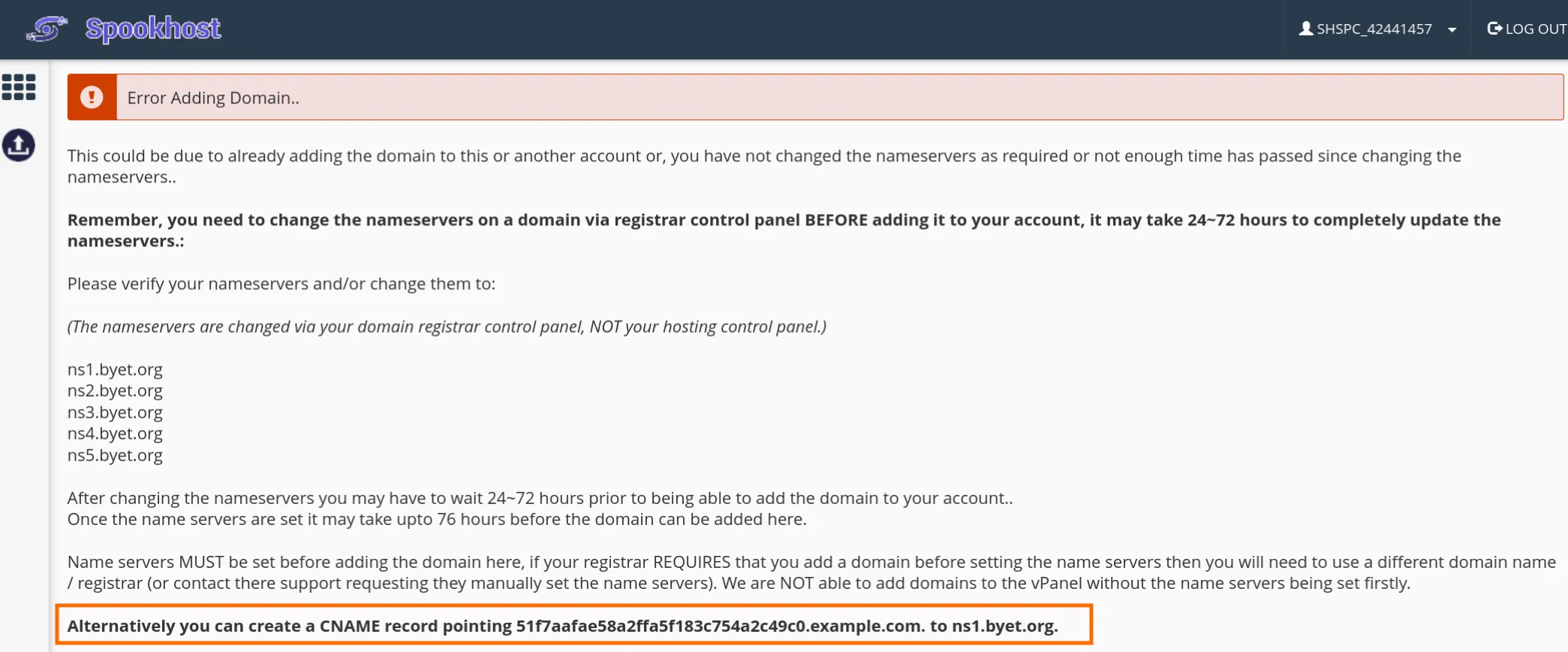
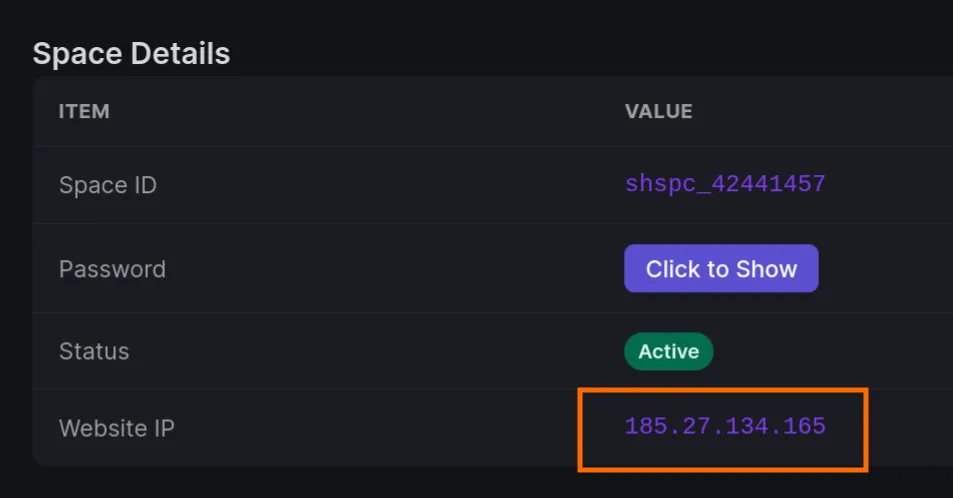
- Add an A record pointing to your Spookhost IP address. You can find your Spookhost IP address in the Client Portal.
INFO
You should have the following DNS records set up at your domain's DNS provider:
example.comIN AXXX.XXX.XXX.XXX[random string].example.comIN CNAMEns1.byet.org - Add the domain again in the Control Panel.
Subdomains
- Log in to your control panel and navigate to the "Domains" section.
- Input your subdomain in the subdomains section and choose the ending you like.
Parked Domains
Add parked domains by pointing to Spookhost Nameservers
- Make sure your domain points to the following nameservers
ns1.spookhost.spacens2.spookhost.space
- Log in to your control panel and navigate to the "Domains" section.
- Input your domain in the Parked Domains section.
- Choose which domain to park on to.
Add parked domains by pointing to Spookhost IP address and CNAME validation record.
- Login to your control panel and navigate to the "Domains" section.
- Input your domain in the Parked Domains section.
- Choose which domain to park on to.
- You will receive an error about the nameservers not valid, under the notice there will be a CNAME record that you need to add to your domain's DNS records. Add that to your DNS provider.
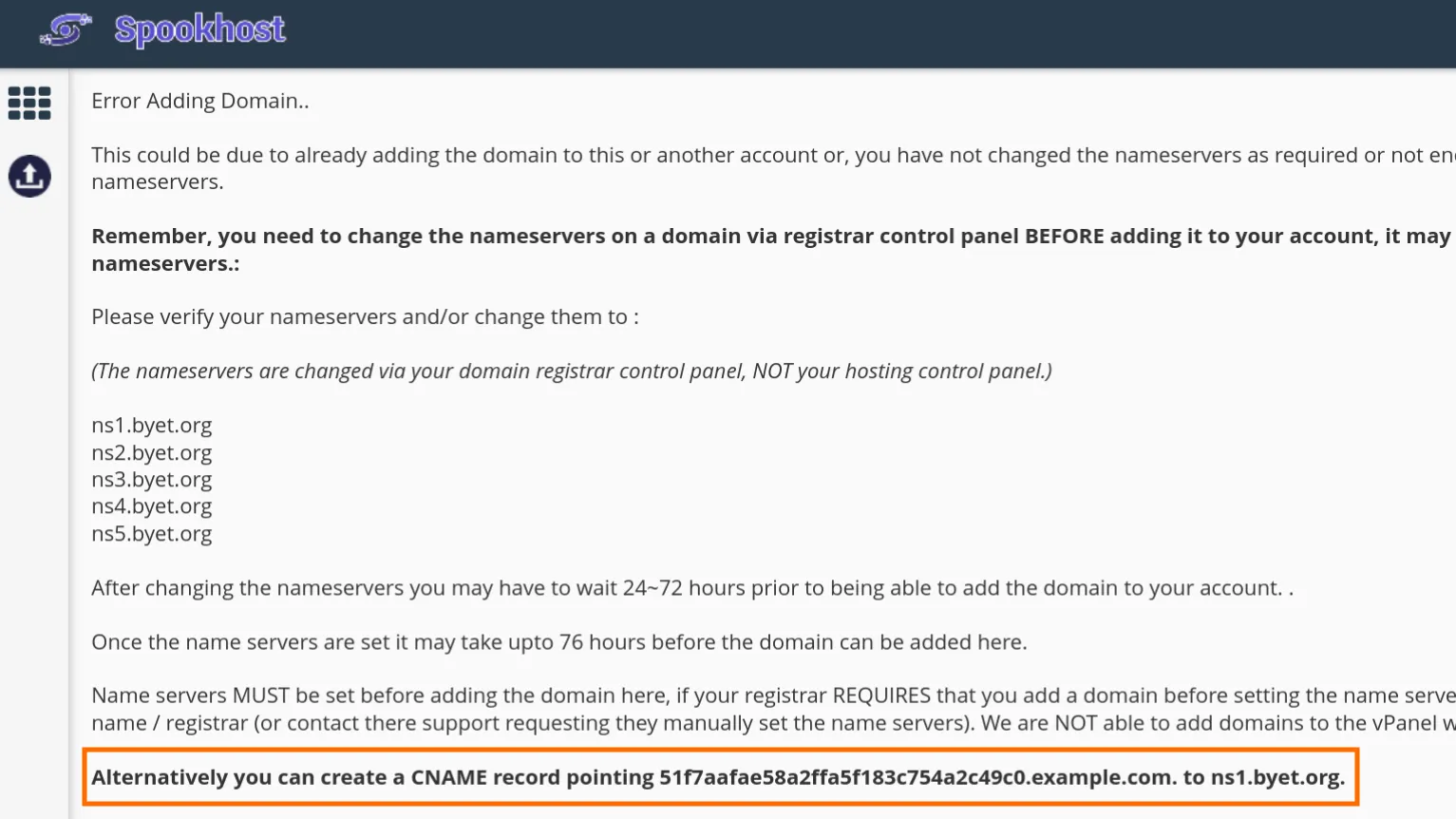
- Add an A record pointing to your Spookhost IP address. You can find your Spookhost IP address in the Client Portal.
INFO
You should have the following DNS records set up at your domain's DNS provider:
example.comIN AXXX.XXX.XXX.XXX[random string].example.comIN CNAMEns1.byet.org - Add the domain again in the Control Panel.